HTML + CSS
A custom responsive presentation based on the salon’s visual identity.
 MyForge LabsHUNew project ↗
CASE STUDY / TEXTURA Salon
TEXTURA’s website turns the introduction to its Budapest salon into a considered route to booking. Original photography, distinctive typography and bilingual content guide visitors from discovering the space to the booking page of their chosen stylist.
01 / CONTEXT
The website needed to express the character of the space while keeping services, prices, stylists and booking easy to find on a phone. Hungarian and English-speaking visitors needed the same complete experience.
THE DESIGN DECISION
Each part of the presentation supports the visitor’s next decision: the service they want, the stylist they prefer and how to book.
WORKFLOW / TEXTURA Salon
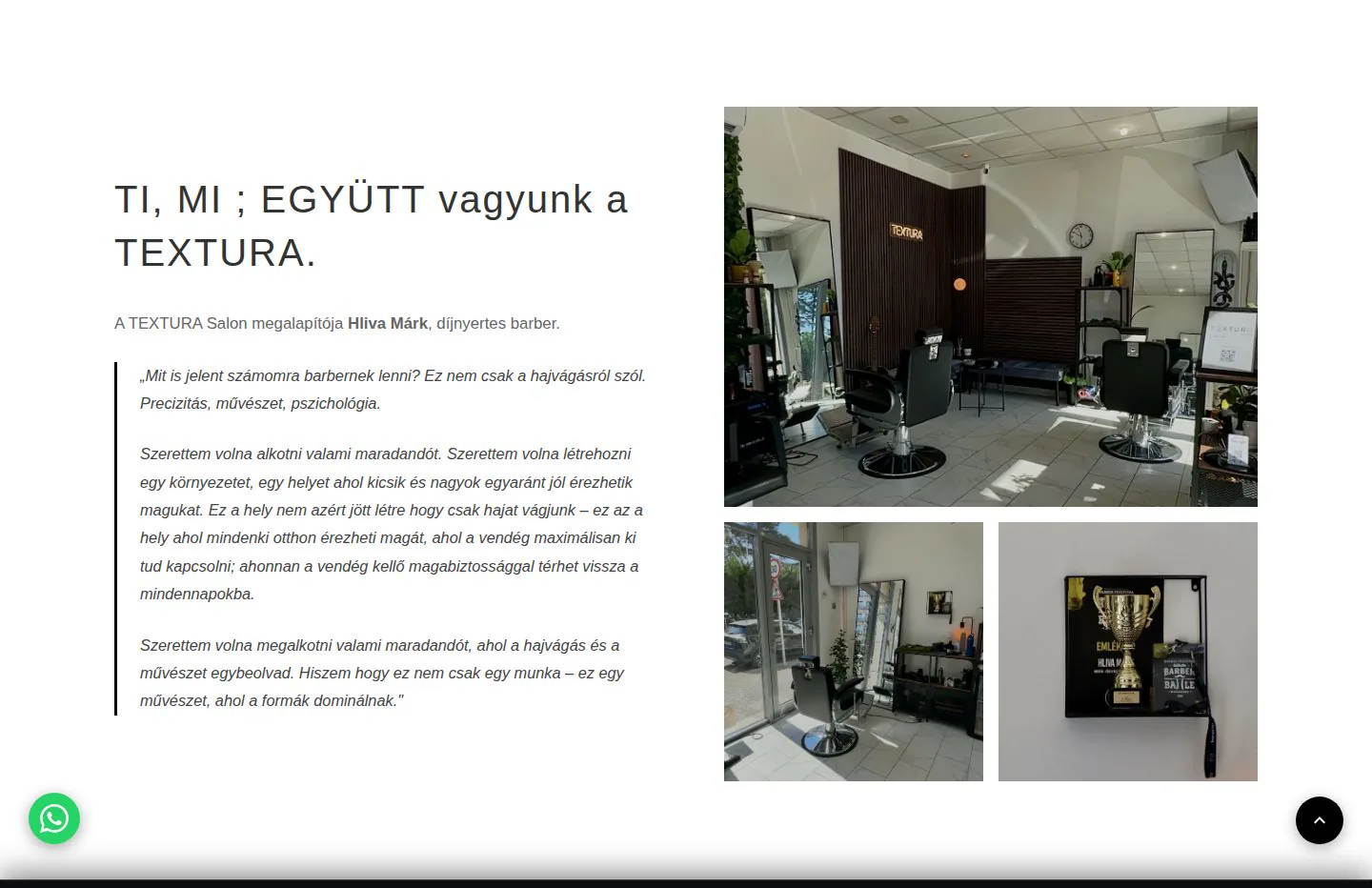
Original interior photography and team profiles express the character of the space.
Services, prices and profiles help visitors make their choice.
A direct Fresha link leads to the chosen team member’s appointments.
02 / IMPLEMENTATION
We aligned black-and-white imagery and typography with real salon photographs. Services, prices and team profiles are easy to reach, and a dedicated mobile booking bar supports the next step. Team members have individual Fresha links, while Hungarian and English pages follow a parallel content structure.
Innovation in practice
Team profiles connect directly to booking with the stylist the visitor has just discovered.
The fixed booking bar remains accessible while visitors browse the longer introduction and gallery sections.
Hungarian and English content present the salon, services and team within the same visual structure.
Behind the interface
The site uses custom HTML, CSS and JavaScript with separate Hungarian and English content. Introduction, services and team profiles share a single visual system. Bookings take place in Fresha; the website directs visitors to the appropriate booking entry point.
A custom responsive presentation based on the salon’s visual identity.
Mobile navigation, gallery interaction and the route to booking.
External appointment booking with direct links to individual team members.
Structured salon information and machine-readable descriptions for search engines.
DELIVERY / PROJECT SCOPE
Web design, frontend implementation, content structure and connection to the external booking service.
The featured website is publicly accessible. Appointments are handled separately by Fresha.
Visit the salon websiteClient project
The complete system behind kisgepcentrum.hu: web shop, equipment rental, service intake, parts search and customer accounts — one platform shared with the in-store kiosk and staff workspaces.
Live business platform · kisgepcentrum.hu
Explore the project — KGC-BérlésInnovation prototype
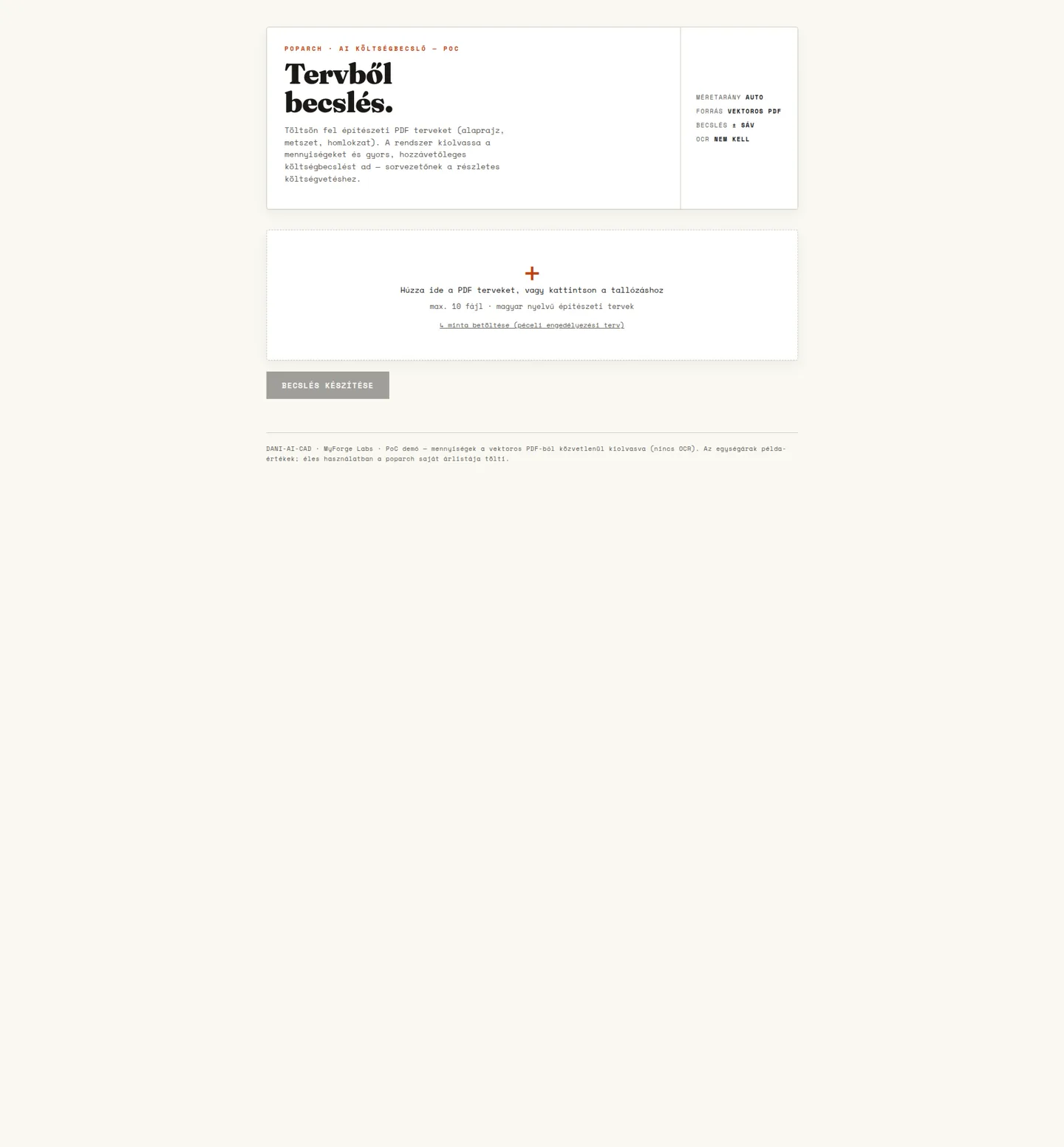
An architectural plan-processing prototype: supported vector PDFs become editable quantities, cost estimates and professional exports.
Working prototype · private demo
Explore the project — PoparchYOUR NEXT STEP
projects / atlas.workspace
Look behind the interfaces. Explore the solutions, inspect real screenshots and put two projects side by side.
9 projects
Choose up to two to compare.Client project
The complete system behind kisgepcentrum.hu: web shop, equipment rental, service intake, parts search and customer accounts — one platform shared with the in-store kiosk and staff workspaces.
Live business platform · kisgepcentrum.hu
Innovation prototype
An architectural plan-processing prototype: supported vector PDFs become editable quantities, cost estimates and professional exports.
Working prototype · private demo
Client project
A customer application for a tradesperson’s daily work: estimates, appointment requests, photos, messaging and service administration.
Public website and customer application
Club project
Digital tools for the pétanque community: tournament organisation, team score entry, spectator standings and shared sports information.
Public application
Client project
A custom bilingual salon website connecting its real space, stylists and services to a direct booking journey.
Public website
Client project
Developing an established clinic website: editable WordPress pages, two treatment areas and a coherent Hungarian–English patient journey.
Public website
Research collaboration
A workplace wellbeing platform that grew out of the instruments of a doctoral research project: research questionnaires, management reports and the Balance module, which rewards healthy habits.
Live platform · research collaboration with the University of Pécs Faculty of Health Sciences
In-house R&D
Automated processing of incoming supplier quotes, designed around a machine-parts distributor’s workflow: items extracted from e-mails, PDFs and spreadsheets feed a comparison matrix, with the original source behind every number.
Research prototype · synthetic data
Own product
A shared space for parents living apart: expenses, handovers, children’s requests and documents in one place, with two-sided approval.
Live · private, invitation-only family use
Try a different capability or clear the filters.
compare / projects
Compare the demonstrated capabilities and current status. Each project was built for a different purpose.
Select two projects from the cards above.
We understand the business problem, design the system and build it in steps you can inspect. Step inside the studio: choose a project and explore how research, human decisions and AI-assisted development connect.
Sources, open questions and an SSP brief.
Clarifying the goal and constraints together helps decide what belongs in the first usable version.
Before the next stageWe agree which problem to solve and how we will know it has been solved.
Research and sources
KGC-Bérlés
A single machine can be linked to a rental request, accessories, spare parts and a service case. The challenge was to preserve that context when a customer moves from the website to the store, or another team member takes over the conversation.
Planning and work breakdown
KGC-Bérlés
Customer-facing and internal web application development: catalogues, request submission, customer records, case-based communication, and counter and service views. The scope also includes the parts-engine interface, kiosk interaction, and editing, publishing and scheduling display programmes. In September 2026 the system gained the web shop, the full service workflow and customer accounts, and went into production.
Review and tests
KGC-Bérlés
Does the desktop parts diagram lead to the right part number and itemised enquiry?
The complete system behind kisgepcentrum.hu: web shop, equipment rental, service intake, parts search and customer accounts — one platform shared with the in-store kiosk and staff workspaces.
A single machine can be linked to a rental request, accessories, spare parts and a service case. The challenge was to preserve that context when a customer moves from the website to the store, or another team member takes over the conversation.
Customer-facing and internal web application development: catalogues, request submission, customer records, case-based communication, and counter and service views. The scope also includes the parts-engine interface, kiosk interaction, and editing, publishing and scheduling display programmes. In September 2026 the system gained the web shop, the full service workflow and customer accounts, and went into production. The platform has been running in production at kisgepcentrum.hu since September 2026, and development continues. Online rental requests require staff confirmation. Full ERP synchronisation, online card payments and automatic invoicing are separate workstreams; acceptance testing on the physical shop kiosk remains outstanding.
Suggested acceptance question · verification pending
Does the desktop parts diagram lead to the right part number and itemised enquiry?
The goal, context and acceptance criteria in one place.
# KGC-Bérlés / brief.md

> ILLUSTRATIVE SAMPLE · Based on public portfolio information. Not a client brief or approved project plan.

## Research · Gemini + NotebookLM
Reviewing the sources leads to a checkable brief. This example uses the portfolio and does not start live research.

## SSP / Goal
The complete system behind kisgepcentrum.hu: web shop, equipment rental, service intake, parts search and customer accounts — one platform shared with the in-store kiosk and staff workspaces.

## SSP / Context
A single machine can be linked to a rental request, accessories, spare parts and a service case. The challenge was to preserve that context when a customer moves from the website to the store, or another team member takes over the conversation.

## SSP / Constraints
Customer-facing and internal web application development: catalogues, request submission, customer records, case-based communication, and counter and service views. The scope also includes the parts-engine interface, kiosk interaction, and editing, publishing and scheduling display programmes. In September 2026 the system gained the web shop, the full service workflow and customer accounts, and went into production.
The platform has been running in production at kisgepcentrum.hu since September 2026, and development continues. Online rental requests require staff confirmation. Full ERP synchronisation, online card payments and automatic invoicing are separate workstreams; acceptance testing on the physical shop kiosk remains outstanding.

## SSP / Checkable outcome
Suggested acceptance question; verification pending:
- [ ] Does the desktop parts diagram lead to the right part number and itemised enquiry?

## Next handover · BMAD + Claude
- [ ] Separate sources, facts and open assumptions
- [ ] Review the SSP goal, constraints and acceptance criteria together
- [ ] Approve the implementation direction and verification approach

## Learning loop
Research may also start from previously approved lessons. A new finding needs a source, crystallization and an approved destination before propagation.

## Status and limits stated in the portfolio
The platform has been running in production at kisgepcentrum.hu since September 2026, and development continues. Online rental requests require staff confirmation. Full ERP synchronisation, online card payments and automatic invoicing are separate workstreams; acceptance testing on the physical shop kiosk remains outstanding.

Source: https://www.myforgelabs.com/en/case-studies/kgc-rental/Research can also use lessons that have already been reviewed and approved.
Record the actual result, environment and limits.
Select and check the lasting lesson within the raw experience.
How it becomes knowledgeAfter review, to an approved destination: a project document, decision or shared knowledge.
The approval pointBack to research, with better context.
Gemini + NotebookLMknowledge / connected.workspace
MyForge Superintelligence connects project context, specialised AI roles and developer decisions. A valuable lesson from one project becomes retrievable knowledge for the next.
01 / knowledge graph
Select a node for details. Drag to rearrange, or use arrow keys while focused. The list below also works on mobile. Zoom with Ctrl/⌘ + scroll, pinch, double-click, the − / + buttons, or the +, − and 0 keys while the graph is focused. Zooming in reveals the names, then the roles, then what each connection carries. Drag the background or use the arrow keys to pan.
Connections · what each one carries
context for the next taskbrief.mdresearch-notes.mdsources.mdagreed-brief.mdimplementation-plan.mdchange-set.diffreview-notes.mdverification.mdlearning-proposal.mdapproval.mdreviewed-knowledge.mdversioned Markdown sourcesRetrievable lessonsBrief, decisions, tasksReviewable implementationReal user journeysFeedback to developmentcapabilities / reusable methods
02 / discord handoffs
Every handoff has an owner, a purpose and a tangible output. This scripted example illustrates Discord-based collaboration: follow the request through research and development to human approval.
client-request.mdApproval continues only this local example.
MYFORGE / ERP In development · a closer look is coming soon
We have been developing an ERP that connects equipment rental, service, inventory and sales. Its purpose is to keep the history of an asset, partner or work order available at the next business step. A closer look at the development is coming soon.
Staff interfaces suited to each role
React + ViteRental · service · inventory · sales
Node.js + NestJSRelated data and queued background work
PostgreSQL + Prisma · Redis + BullMQShared foundation: roles, organisational separation and traceable operations.
BUSINESS MODULES / 01—05
The equipment journey from pricing through checkout and return to its related contract. Rental operations have their own business module.
Repair tasks, work orders and warranty cases are organised as connected workflows in dedicated service modules.
Modules cover products and stock movements from goods receipt and stocktaking to sales operations.
Partner records, business documents and related communication provide context for the same case.
Roles, audit trails and separated organisational workspaces define who can access each part of the business data.
ENGINEERING / STACK
A modular TypeScript monorepo with a Node.js and NestJS API, React–Vite workspaces, PostgreSQL–Prisma data handling and Redis–BullMQ background jobs. Dedicated access and tenant layers separate data belonging to different organisations.
The ERP in development is a separate project from the KGC-Bérlés web application. Modules and integrations are progressing incrementally; a public demonstration and operational rollout are separate delivery steps.
MYFORGE / WORKSPACE SETTINGS
Arrange this website around the way you like to explore. Changes appear immediately.
These settings apply only to this website. Layout preferences stay on this device; form entries are not saved here.
Workspace shortcuts do not run while you type in a form field.
❯ bmad Research · Gemini + NotebookLM
MyForge Workspace. Type help · Local navigation commands.
// Demonstration events.
Workspace opened. Choose a project or play the BMAD demonstration.

MYFORGE / WORKSPACE
Your open files stay right where you left them.
11.11@myforgelabs.com ↗